NEXT-GENERATION CALL CENTRE PLATFORMbilgi@gsantral.com.tr
REPORTING & ANALYSIS

Operational reporting
and performance analysis.

Examine call volumes, team performance, time use and service quality through detailed reports. Support operational decisions with data.

EXPLORE REPORTSFrom call details to team performance
CDR Reports

Track the details of every call.

A CDR (Call Detail Record) lets you examine when a call took place, its direction, source and destination, duration and outcome. Move from aggregate traffic metrics to individual call details.

Which question does this answer?When did this call happen, who was involved and what was the outcome?

CDR · CALL DETAIL RECORDIllustrative report view
Information available for each call
TimeDirectionSourceDestinationDurationOutcome
09:15Inbound05•• ••• •• 12100103:24Answered
09:20Outbound100205•• ••• •• 3400:00Unanswered
09:25Internal1001100301:10Answered

Illustrative data explaining how the report is used; no real customer information is shown. Available fields and access permissions depend on your organisation’s reporting scope.

  • Call time and direction
  • Source, destination and duration
  • Answered and unanswered calls
Interval Reports

See when demand changes.

Review the day in 15, 30 or 60-minute intervals. Compare incoming and answered calls, waiting times and service levels to assess your staffing plans.

Which question does this answer?Which times of day are busiest?

ANALYSIS BY TIME INTERVALIllustrative report view

Compare busy periods.

09:00–09:30
Inbound24
Answered22
09:30–10:00
Inbound40
Answered36
10:00–10:30
Inbound30
Answered29

A 30-minute comparison using sample data. Reports support 15, 30 or 60-minute intervals; actual results are calculated from your organisation’s call records.

  • 15 / 30 / 60-minute intervals
  • Call volume and answering
  • Service level over time
AUX Reports

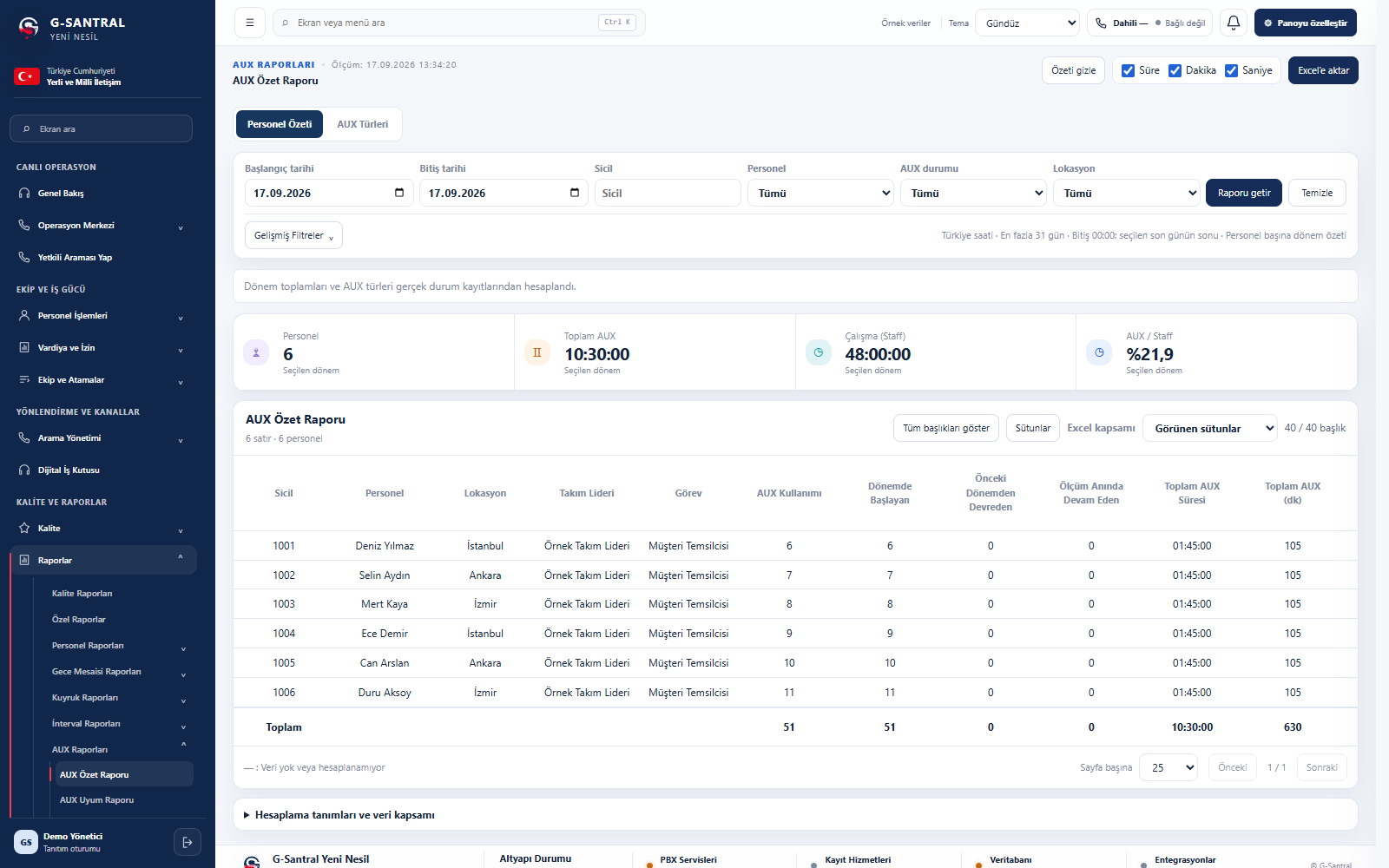
Analyse work states and their duration.

AUX refers to work states in which an agent is not taking calls, such as breaks, meals and training. Review defined AUX states for each agent. Compare how often they are used, their total duration and their share of working time.

Which question does this answer?How does the team’s time break down by work state?

AUX Summary Report — actual G-Santral interface with sample data Enlarge screen
AUX Summary ReportSample report data
  • Breakdown by staff and AUX type
  • Usage count and total duration
  • AUX / working time ratio
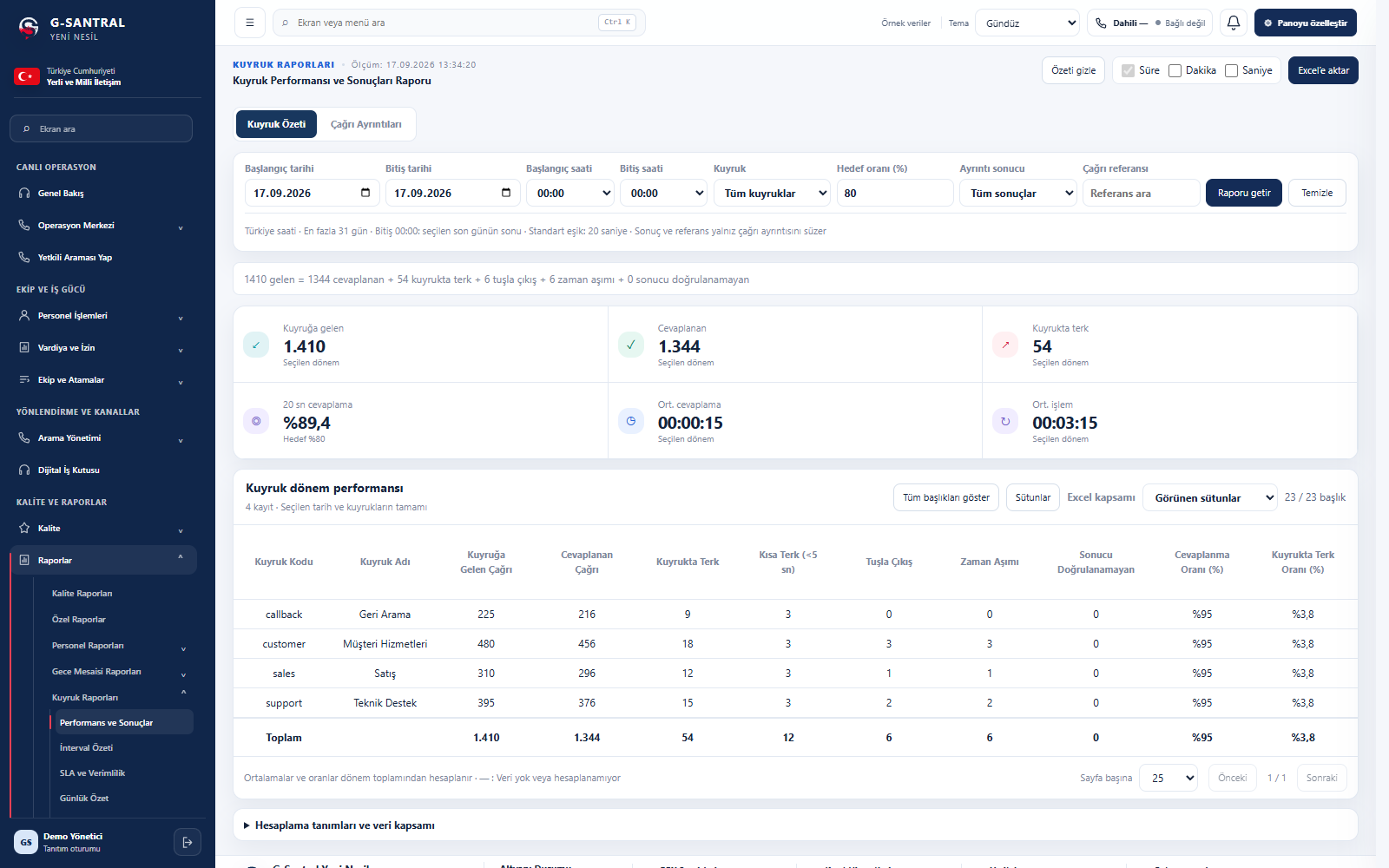
Queue performance

Queue performance and service levels.

Review incoming, answered and abandoned queue calls in the same report. Understand your operation through service levels, average answer times and handling times.

Which question does this answer?Which queues have increasing waits or abandonment?

Queue Performance and Outcomes — actual G-Santral interface with sample data Enlarge screen
Queue Performance and OutcomesSample report data
  • Answer and abandonment rates
  • Service level · 20 seconds
  • ASA and AHT durations
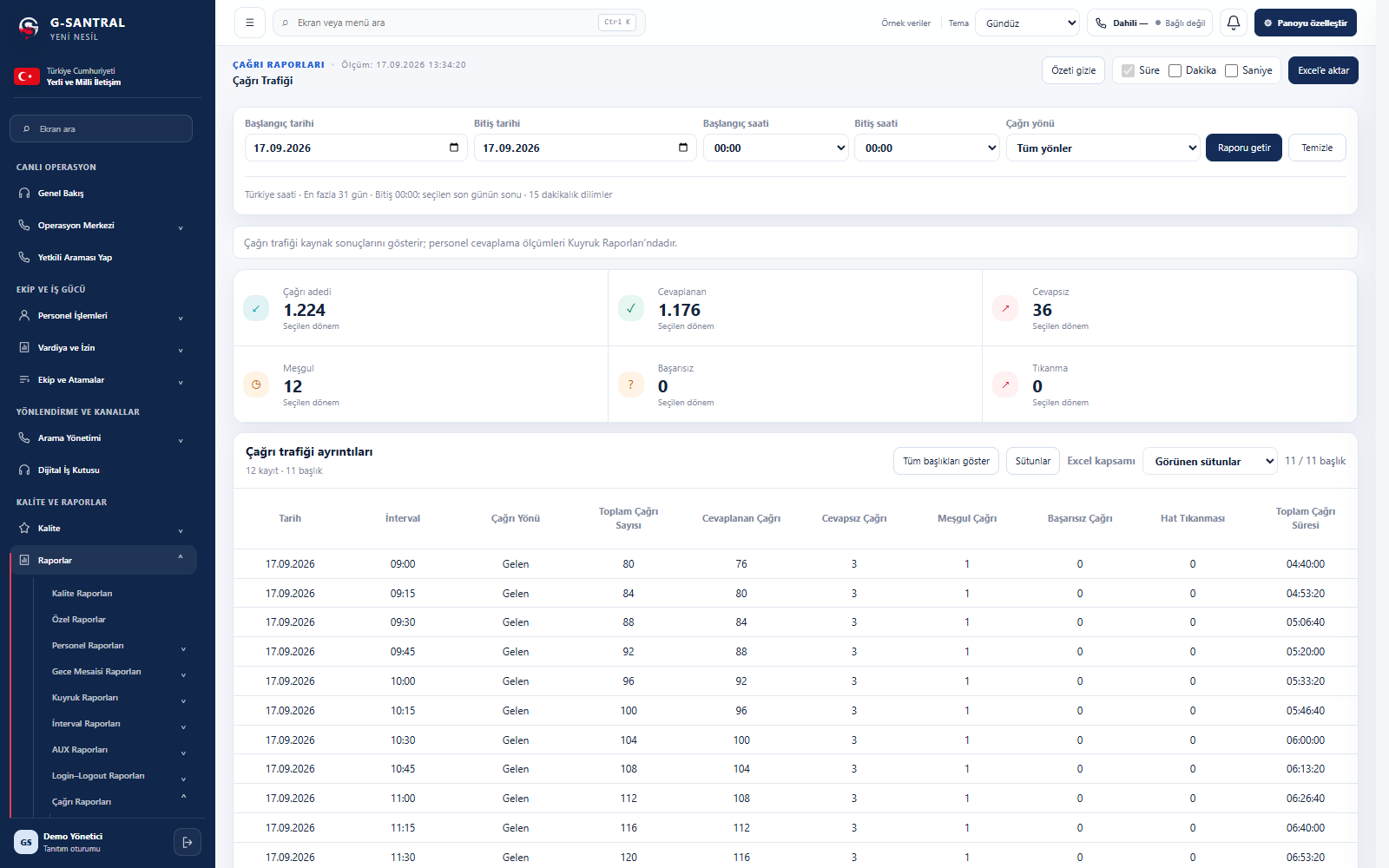
Call traffic

Call volume, direction and outcome analysis.

Review incoming, outgoing and internal calls by time period. Assess answered, missed and busy call outcomes alongside talk times.

Which question does this answer?How many calls do we handle, and what are their outcomes?

Call Traffic — actual G-Santral interface with sample data Enlarge screen
Call TrafficSample report data
  • Call analysis by direction
  • 15-minute intervals
  • Call outcomes and durations
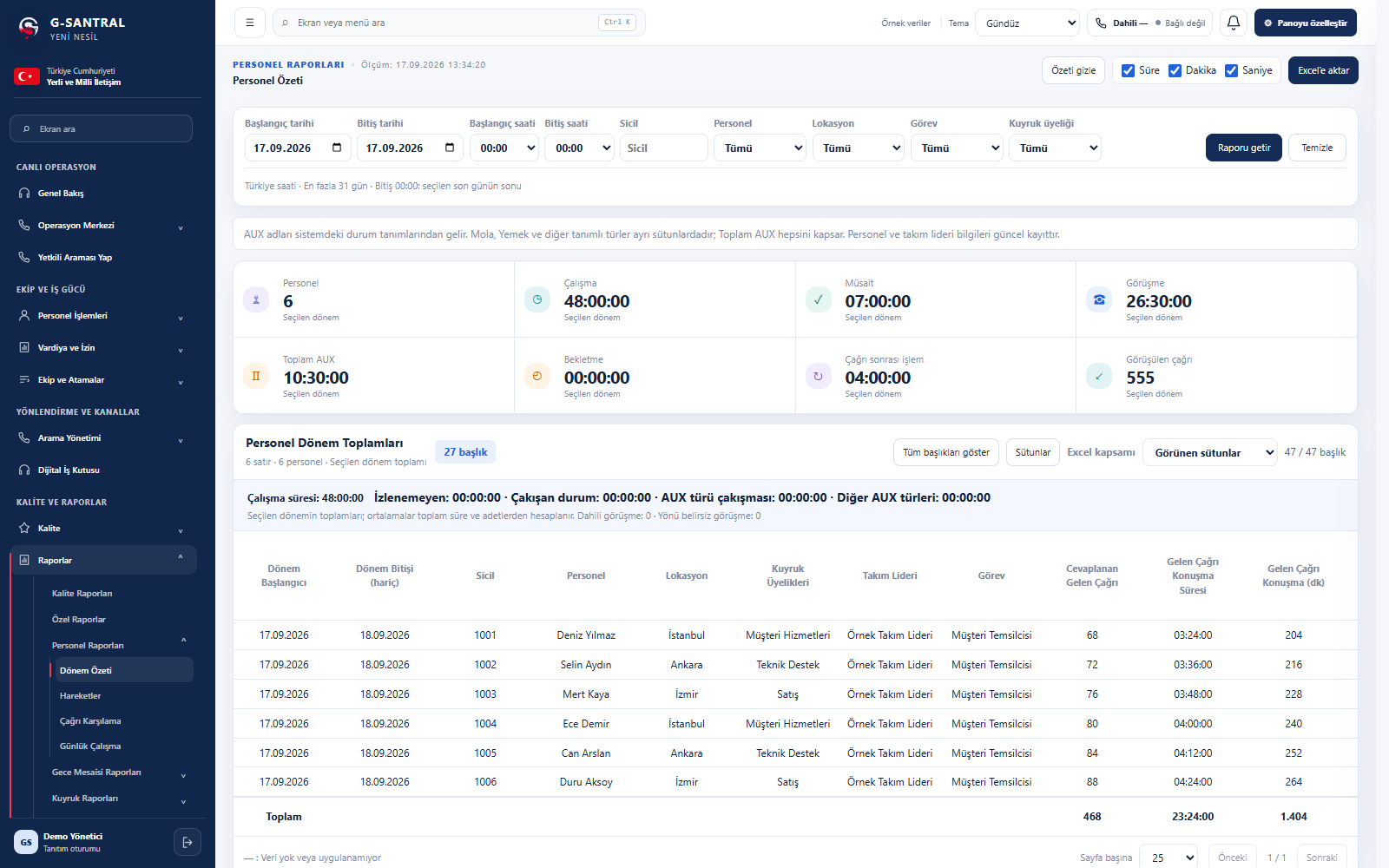
Staff and intervals

Performance by staff member and interval.

See call counts, talk time, availability and working time together for each staff member. Add interval details to period summaries to review changes throughout the day.

Which question does this answer?How is each agent’s call and working time distributed?

Staff Summary — actual G-Santral interface with sample data Enlarge screen
Staff SummarySample report data
  • Staff and location filters
  • Call, working and availability durations
  • Period summaries and interval reports
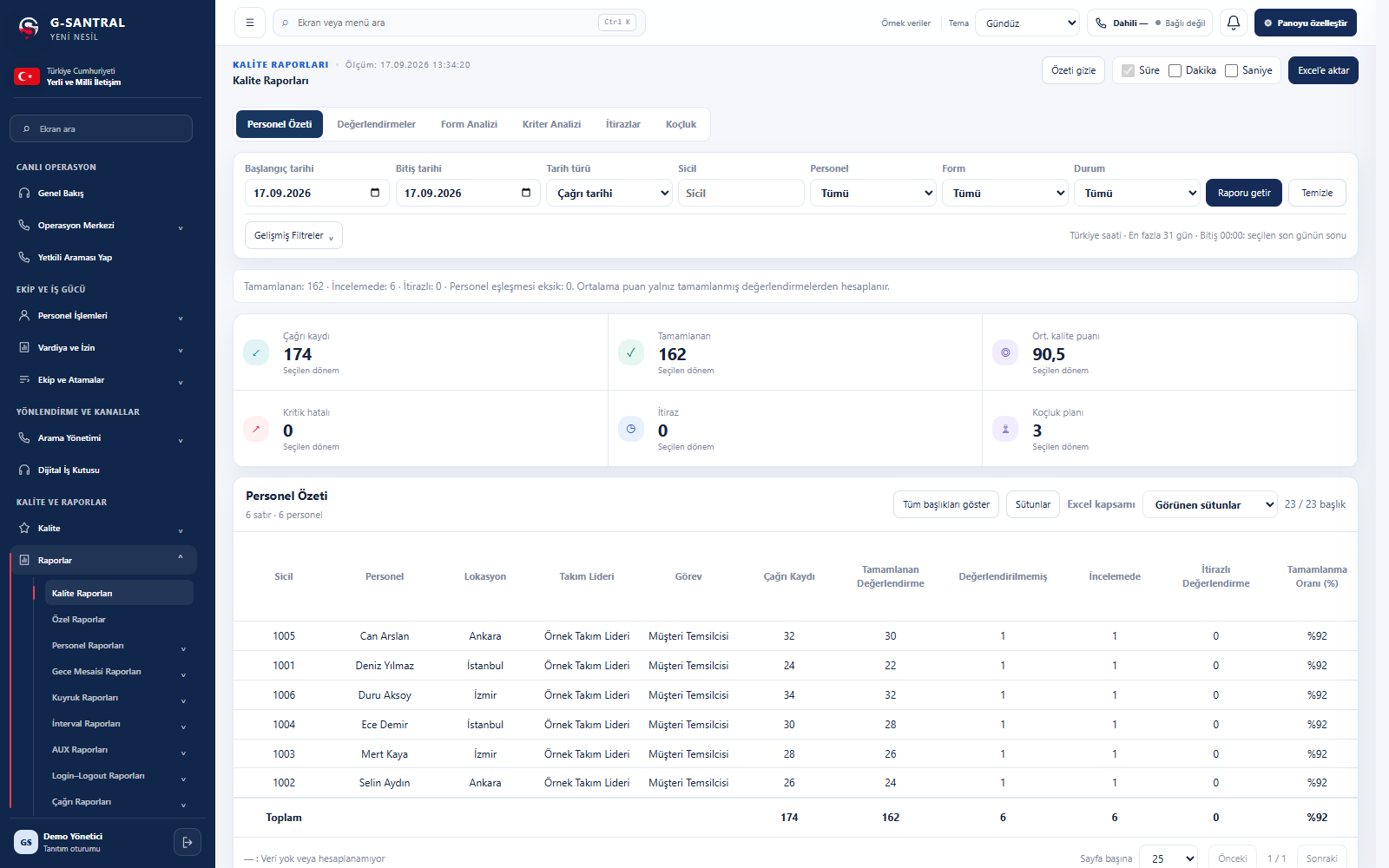
Quality evaluations

Quality evaluations and coaching follow-up.

Review evaluations, quality scores and completion rates following call listening and review. Explore development opportunities through form, criteria, appeal and coaching views.

Which question does this answer?Which areas of service quality need improvement?

Quality Reports — Staff Summary — actual G-Santral interface with sample data Enlarge screen
Quality Reports — Staff SummarySample report data
  • Quality scores and evaluation status
  • Form and criteria analysis
  • Appeal and coaching tracking
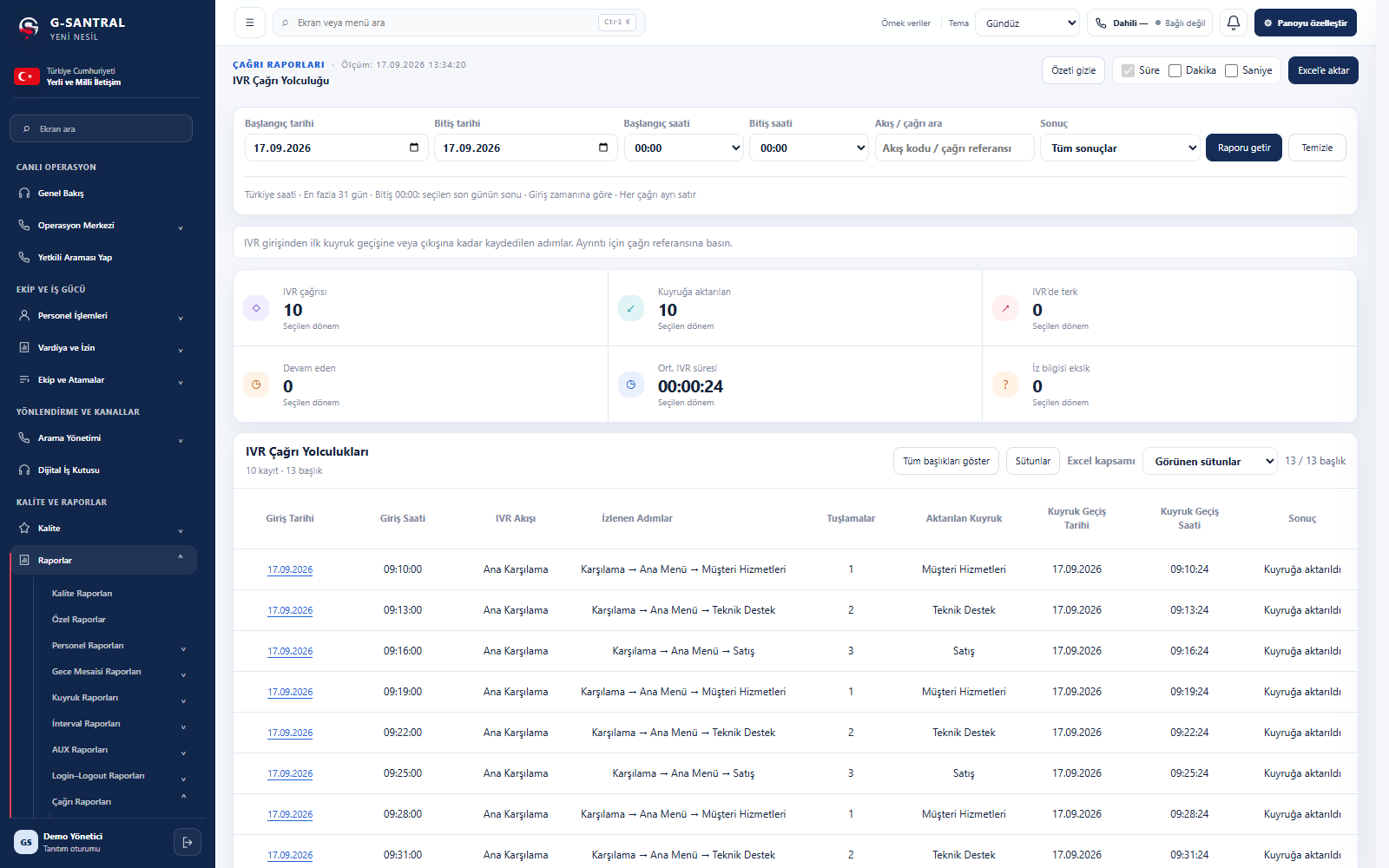
IVR call journey

IVR steps and routing outcomes.

Review recorded steps from the initial greeting to queue handover. See keypad selections, routing and IVR durations for each call.

Which question does this answer?Which paths do callers take through the menus?

IVR Call Journey — actual G-Santral interface with sample data Enlarge screen
IVR Call JourneySample report data
  • Recorded steps for each call
  • Keypad selections and queue handovers
  • IVR duration and exit outcome
REPORTING WORKFLOW

Filter the data,
evaluate the results.

Set the period, select the relevant scope,
review and share the results.

01

Select the period.

Choose the date and time range you want to review.

02

Narrow the scope.

Use queue, staff, location or call direction filters according to the report type.

03

Read the details.

Move from summary cards to the table. Select the columns you need to review the results.

04

Export to Excel.

Export the selected report to Excel for your internal reviews.

The screens use sample report data.

FROM LIVE MONITORING TO PERIODIC ANALYSIS

Live operations monitoring and
periodic performance analysis.

Explore supervisor screens
NEXT STEP

Let’s review your reporting needs together.

Define the reports and review approach your team needs.

Request a demo
G-SANTRAL

Cookie preferences

Choose which preferences this product website remembers. You can change your choices at any time.

Your privacy choice

Always active

Your choice is stored in this browser for 180 days so you are not repeatedly asked to accept or decline.

Contact form security

Required

The contact page uses a session cookie to validate forms and prevent duplicate requests. It is not used for analytics or advertising.

Remembers your motion and animation settings for future visits. When off, changes only apply to the current page.

Analytics and advertising

Not used

This website does not use visitor analytics, advertising cookies or third-party tracking tools.

These preferences are stored in your browser’s local storage rather than cookies. Read the policy

G-SANTRAL

Hiranur

Your digital assistant

Product information and tailored demo planning
Welcome to G-Santral