Operational Dashboards
Monitor call volumes, queue status and team performance in a shared view. Review daily operations with indicators suited to your management priorities.
- Call and queue indicators
- Agent statuses and performance monitoring
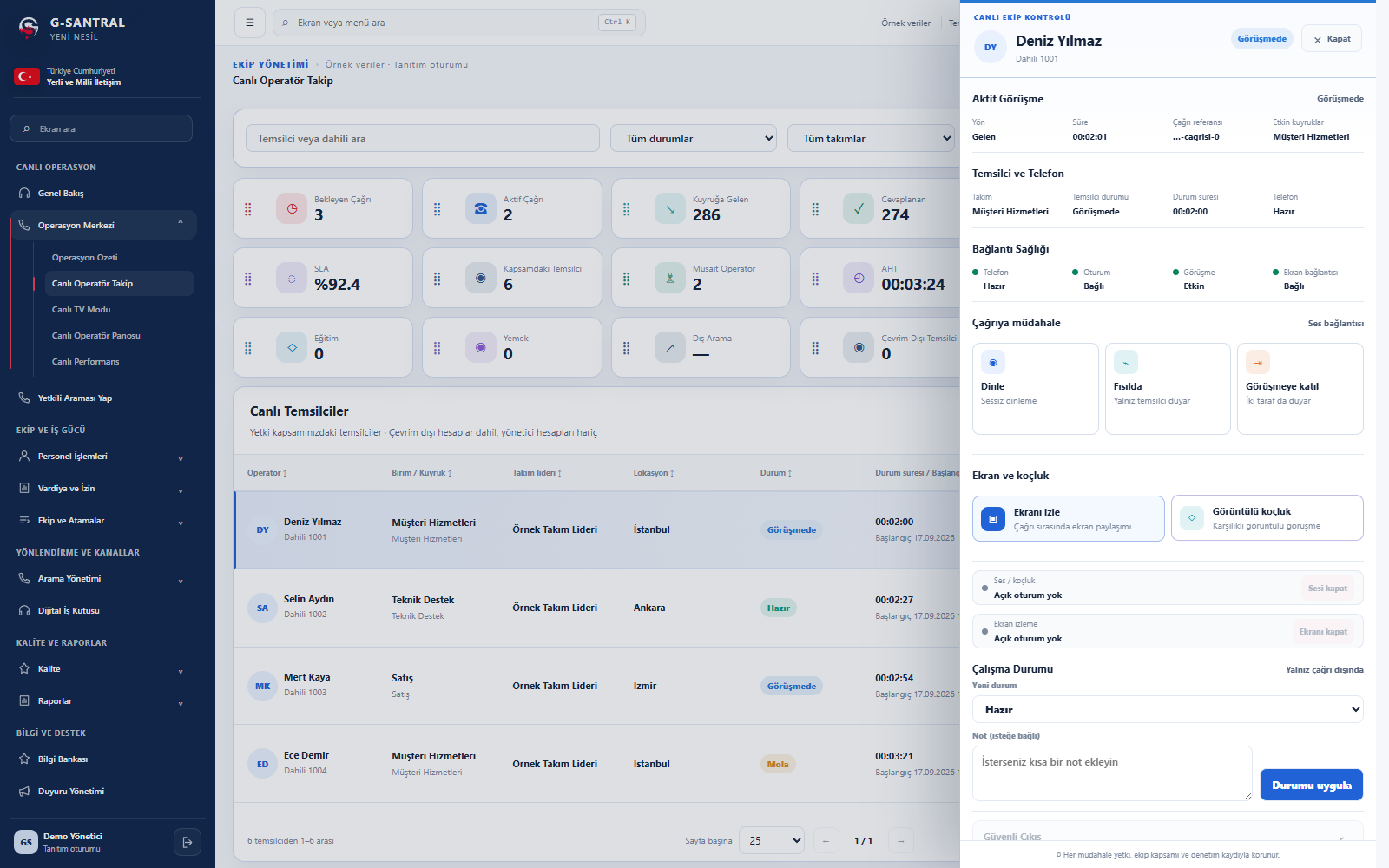
Monitor call volumes, agent statuses and conversations in one workspace. Spot when support is needed and join the workflow with controlled access.
Enlarge screenFrom daily management to shared displays,
key operational indicators in one place.
Monitor call volumes, queue status and team performance in a shared view. Review daily operations with indicators suited to your management priorities.
Share key operational indicators with your team on large screens. Make the current situation visible across call centres and shared workspaces.
A shared view to review daily operations
and understand your team’s status.
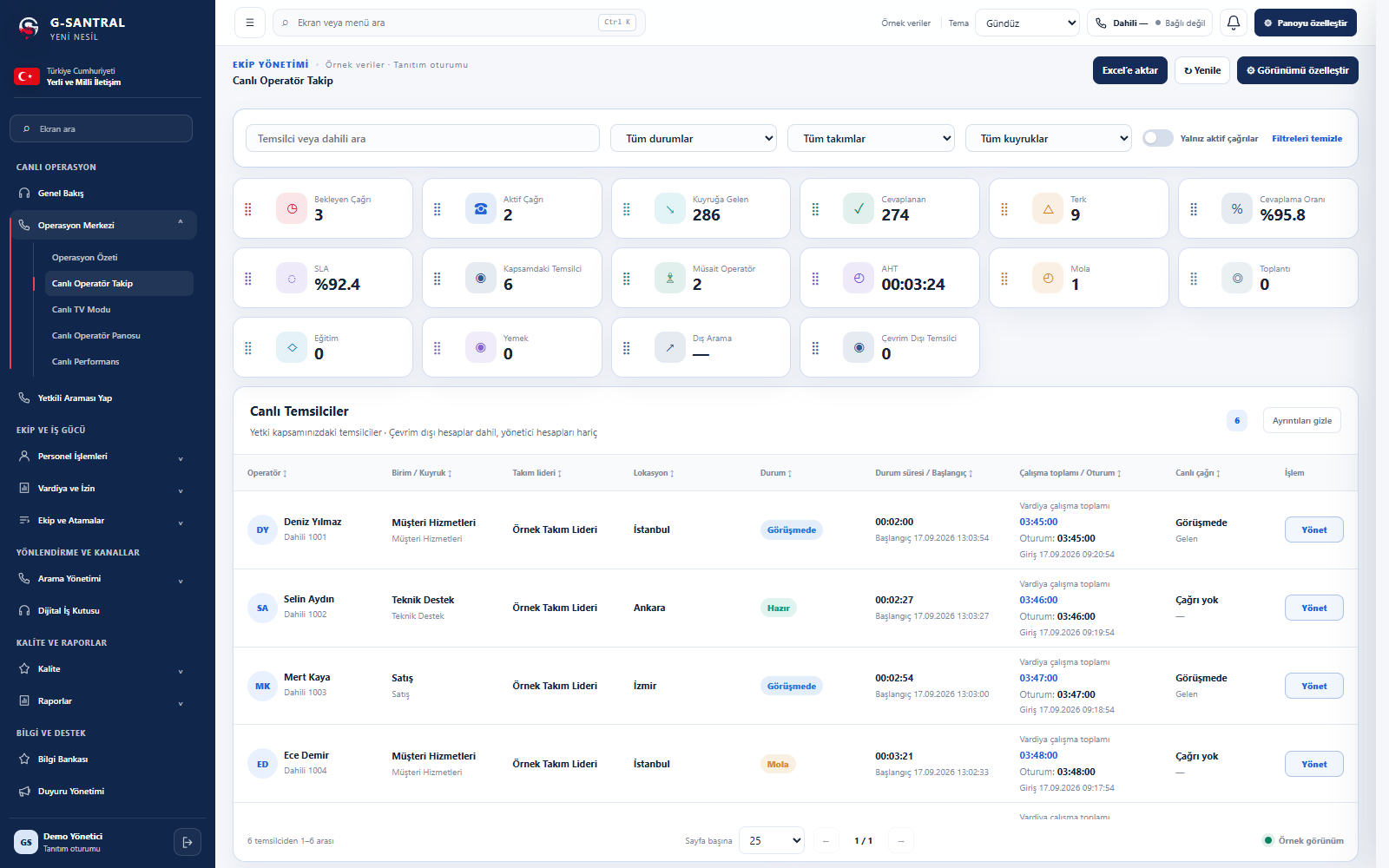
Monitor the pulse of your operation with waiting and active calls, answer rates, SLA and average handling time.
Filter agents by status, team and queue. Review on-call, ready, break and after-call statuses.
Track status durations, working totals, recent events and agents awaiting shift sign-in.
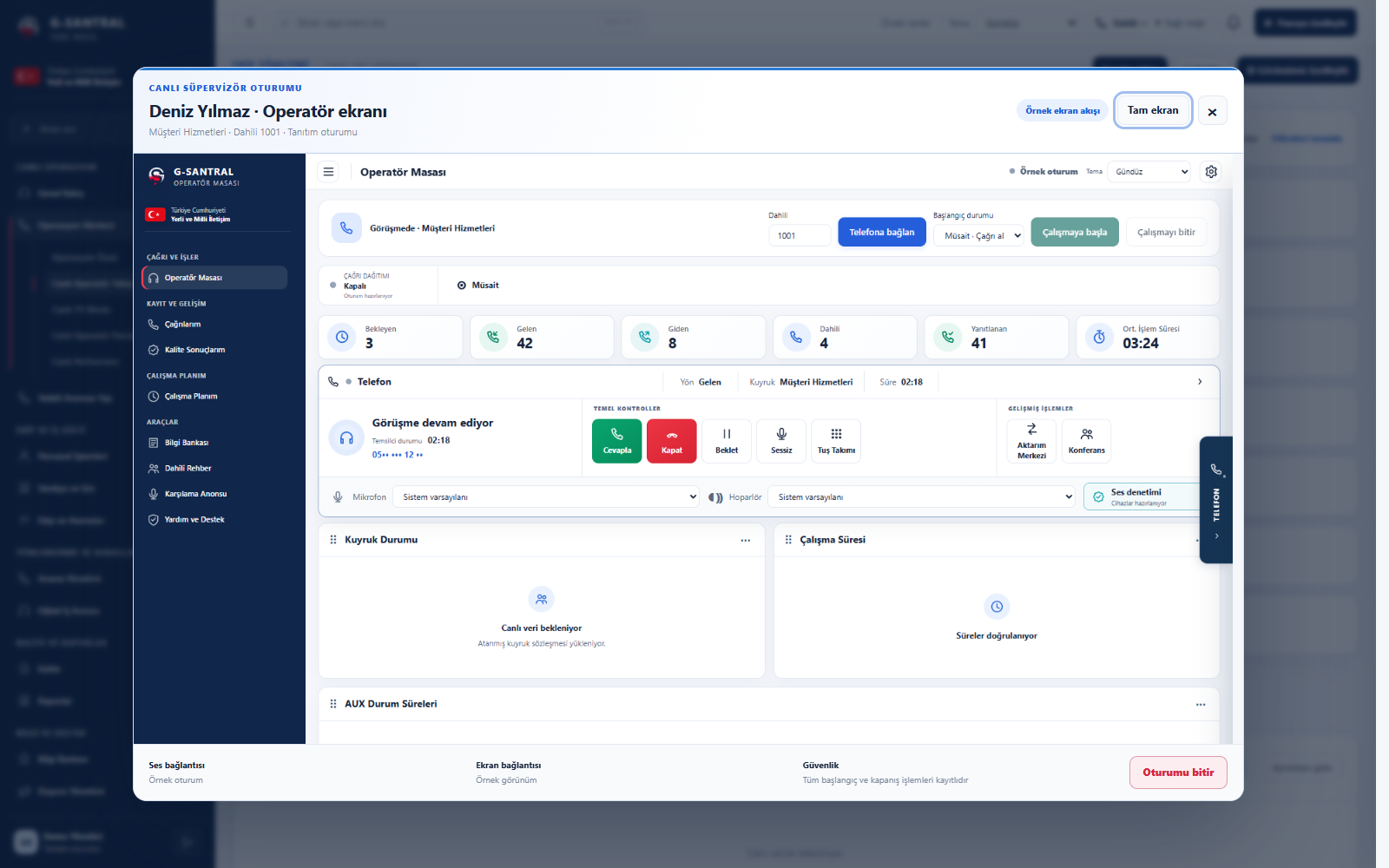
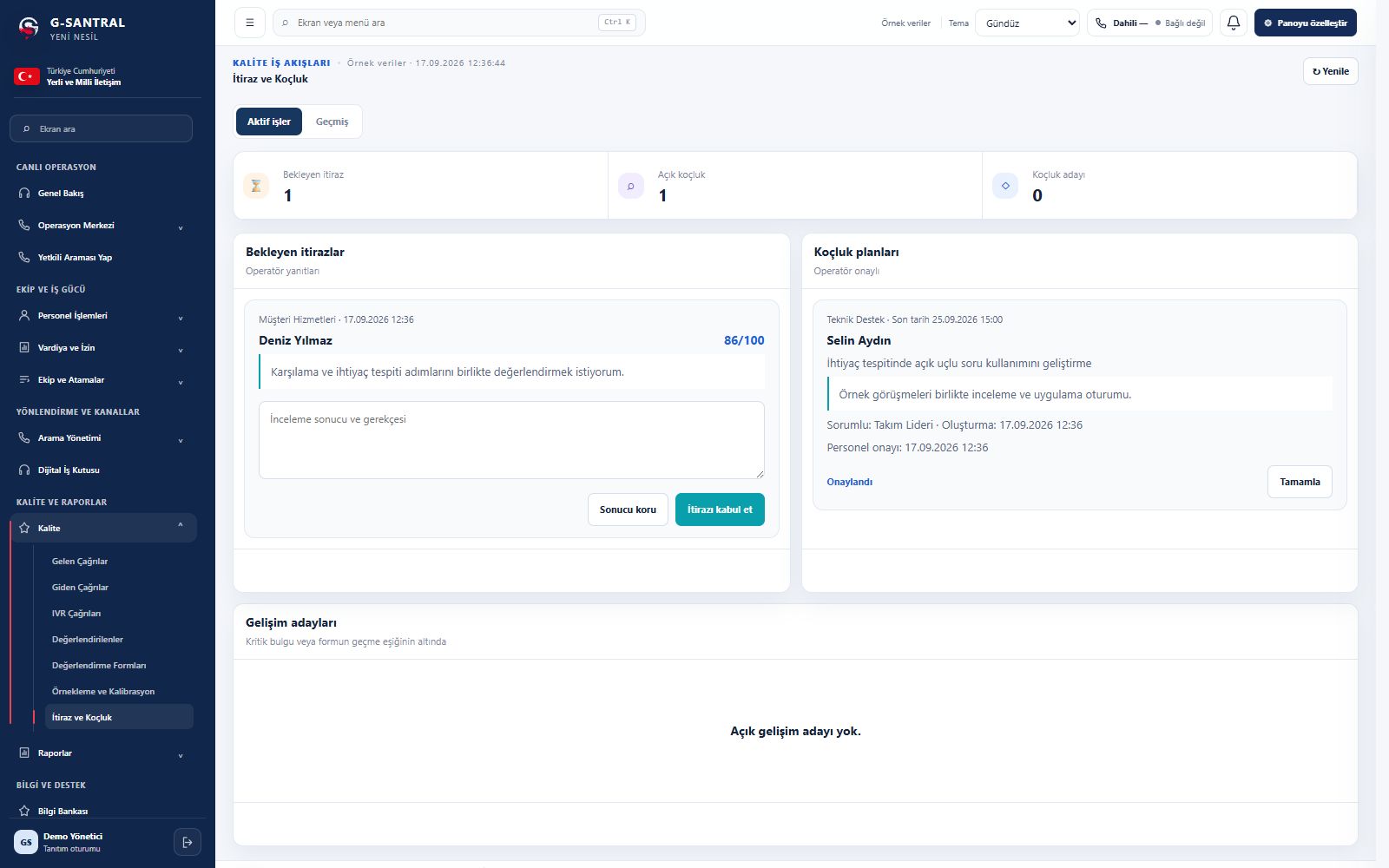
Listen to live calls and support agents when needed. Assess call reviews against quality criteria, then follow up through feedback and coaching.
Actions are available according to permissions and team scope.
Quality evaluation reports
Enlarge screen
Enlarge screenSee the agent’s on-screen actions alongside the call context. Identify where a task becomes difficult and provide relevant help.
Complement immediate support with planned development. Turn feedback into trackable steps with video coaching in the supervisor panel and a dedicated coaching workspace.
Enlarge screenLet’s discuss live monitoring, screen monitoring and coaching using your own operational scenario.